If you've been handed "get everyone's headshots updated" and you've never organised a shoot before, this is the whole job in one page.
1. Pick the room before the date
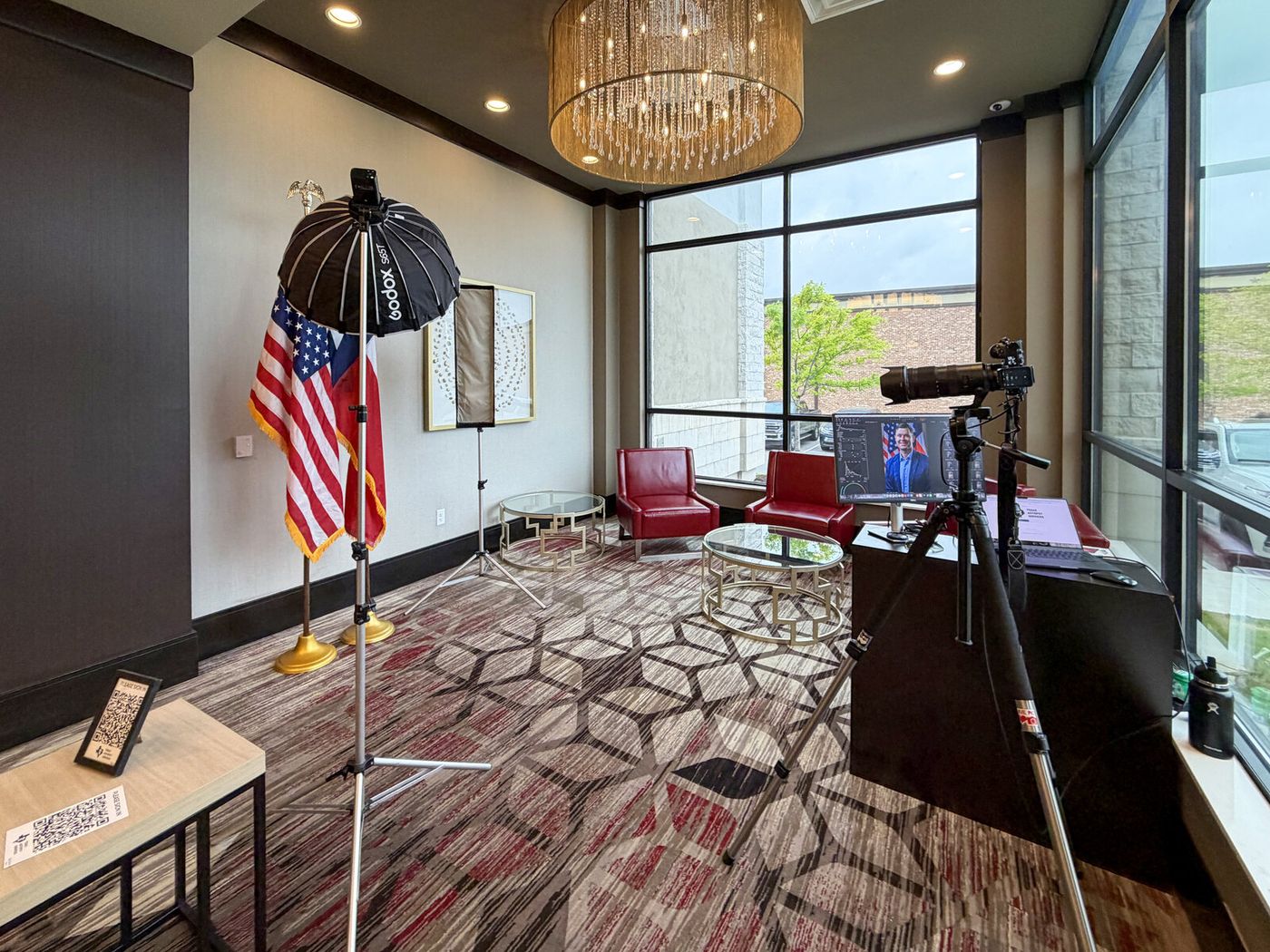
I bring a full portable studio, so I don't need a studio — I need about 10 by 12 feet of clear floor and a power outlet. A conference room with the table pushed aside is ideal. An unused office, a corner of a lobby, or a training room all work.
What I don't need: natural light, a blank wall, or a tidy room. The backdrop covers whatever's behind it.
What genuinely helps: a door that closes. People relax faster when their colleagues aren't watching, and you'll see it in the photos.
2. Work out your real headcount
Not everyone who's on the list will be in the building that day. Build in a buffer of a few people for the ones who reschedule, and expect a couple of walk-ups once word travels.
For planning: a half day comfortably covers up to 25 people, a full day up to 60. If you're over 60 or across multiple offices, it's a two-day job — say so upfront and I'll quote it straight rather than rushing.
3. Schedule in slots, not a free-for-all
The single biggest difference between a smooth day and a chaotic one is a signup sheet.
Five-minute slots work. Put the earliest slots on people who are reliably in early, and leave a gap mid-morning to absorb overruns. A shared spreadsheet or a simple booking link is plenty.
Avoid scheduling over your team's standing meetings, and avoid the last hour of the day — attendance falls off sharply.
4. Tell people what's happening
Send one short email a few days out. It only needs four things:
- Where and when, and how to claim a slot
- Roughly five minutes each
- What to wear — solid colours, sleeves, avoid tiny patterns (there's a fuller guide here)
- That retouching is included, so nobody needs to worry about a spot
That last point matters more than it sounds. A lot of people quietly dread this, and knowing it's handled changes how they walk in.
5. Decide what "done" looks like
Before the day, agree on two things internally:
Crop and framing. If your website uses square crops, tell me. If your LinkedIn banner needs headroom, tell me. It's trivial on the day and expensive to redo later.
Who picks. Either each person chooses their own image, or one person picks for consistency. Both work. Not deciding is what causes a two-week delay after the shoot.
6. On the day
I arrive early, set up in about 20 minutes, and shoot tethered so people can see themselves on a screen as we go. That immediate feedback is the reason most people relax within about thirty seconds.
You don't need to babysit the session. The most useful thing you can do is nudge the two or three people who'll otherwise skip it.
7. Afterwards
You get a gallery the same week — one retouched, high-resolution headshot per person, ready for your website, LinkedIn, and press use.
If you're rolling them out on your site, do it all at once. A team page with half new and half old photos looks worse than one with all old ones — which is the whole argument in why team headshots should match.
Flat pricing for team sessions is on the pricing page — $850 for up to 10, $1,250 for a half day, $2,500 for a full day, retouching included. Or send me your dates and I'll tell you what's open.